Scripture beside the commentaries, confessions, and reference works of the Reformed church. It runs on your own machine, it works with the network off, and it is free.
What it is
Scripture, and the Church Reading It With You
Sojourner is a Windows desktop application for reading the Bible beside the
commentaries, confessions, and reference works the Reformed church has been handing down for
four hundred years. All of it sits on your own machine. None of it asks you to sign in.
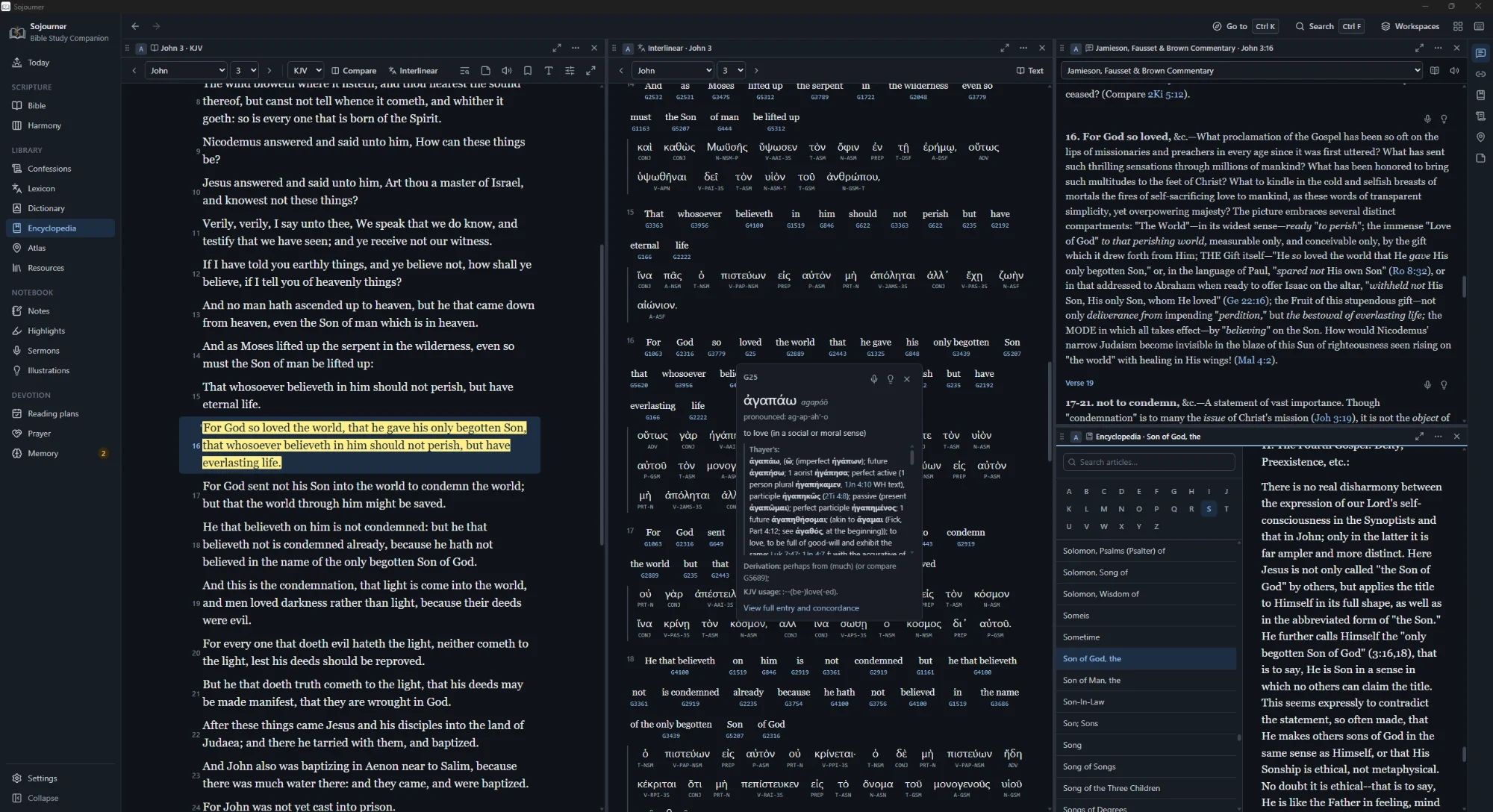
John 3 in the King James, the Greek interlinear beside it with Strong’s open
on agapao, and Jamieson, Fausset and Brown on verse 16.
Most study software wants something from you first. An account. A subscription. A connection.
A tier that hides the good commentaries until you pay. Sojourner wants none of it. You install
it, and everything is already there.
The word sojourner is what the saints called themselves while they were still walking. You are
passing through, and you need the road marked. That is the whole idea behind it.
Download
Get Sojourner
Sojourner 0.2.7
Free · Windows 10 and 11, 64-bit · About 558 MB
One installer with everything inside it. No account to make and nothing to buy. The book
library is a second download on the same page, kept separate so the installer stays smaller.
The installer bundles the Microsoft Edge WebView2 runtime that Sojourner draws with, so it
installs on a machine that has never been online.
Two Honest Warnings
Neither of these is a problem with the program, but you should know about both before you
double-click anything.
Windows will warn you. The installer is not code-signed, because a
certificate costs money this work does not have. So SmartScreen shows a blue box the first
time you run it. Click More info, then Run anyway. If that
makes you uneasy, that instinct is a good one, and you are welcome to pass on it.
It is a large download. About 558 MB, because the whole library is inside
it rather than fetched from a server later. That is the trade. One long download once, and
then it never needs the network again.
Version 0.2.7 means what it says. This is early, real, and in use, but it is not finished.
Things will change and some of them will break. If something goes wrong, tell me and I will
fix it.
What is inside
The Library It Ships With
All of this installs with the program. Nothing is held back, nothing unlocks later, and none
of it needs a connection to open.
Ten translations
All public domain
King James of 1769, American Standard, Young’s Literal, Darby, Webster’s,
Geneva of 1599, Douay-Rheims, Tyndale, Wycliffe, and the World English Bible. If you own a
modern translation in Zefania XML you can import it, and commentaries in ThML as well.
Commentaries
Henry, Calvin, Jamieson, Barnes, Spurgeon
Matthew Henry’s Concise, the forty-five volumes of Calvin, Jamieson, Fausset and
Brown, Barnes’ Notes on the New Testament, and Spurgeon’s Treasury of David on
all one hundred and fifty Psalms.
The Westminster Standards
With proofs and a topic index
The Confession, the Larger Catechism, and the Shorter Catechism, each with its Scripture
proofs and a doctrinal index. Hodge and Shaw on the Confession and Vincent on the Shorter
Catechism sit right beside them.
The wider confessions
Creeds and Continental standards
The Apostles’, Nicene, Athanasian, and Chalcedonian creeds, the Belgic Confession,
the Heidelberg Catechism, and the Canons of Dort.
The Psalter
1650, with tunes you can play
The 1650 Scottish Metrical Psalter in full, with thirty-nine tunes that play in the
program, so you can hear the line before you sing it.
The original languages
For readers with no Greek or Hebrew
Strong’s Hebrew and Greek, Thayer’s Greek lexicon, and a word-by-word
interlinear through both testaments, Hebrew and Greek, parsed. Double-click any word in the
text for its entry. There is more on this below.
Read aloud
A voice that runs on your machine
A neural voice ships with the program and speaks with no connection. Words light up as it
reads, there is a sleep timer, and you can correct how it says a name.
Reference
How Much Is in There
These are counts of very different things, so read them one at a time rather than against
each other.
9,349Encyclopedia articles, the International Standard Bible Encyclopedia of 1915
5,998Dictionary entries, Easton’s and Smith’s merged by headword
344,757Cross references
1,342Atlas places, each with coordinates and every verse that names it
270Puritan and Reformed books in the library pack
39Tunes for the 1650 Scottish Metrical Psalter, playable
14Atlas journeys, from Abraham to Paul’s voyage to Rome
5Reading plans, including M’Cheyne and a chronological year
2Harmonies of the Gospels in four columns, Sutherland’s of 2020 and Robertson’s of 1922
The book library pack is a separate download from the same page, so the installer stays
smaller. Once installed, those two hundred and seventy works are read, searched, tagged, and
linked exactly like the books you add yourself.
How it works
Panes That Follow Each Other
This is the part worth understanding, because it is what the picture at the top of the page is
showing. You can open up to eight panes and split the window however you like. Drag a pane to
dock it, stack tabs inside it, or save the whole arrangement as a named workspace that survives
a reinstall.
Then you link them. Click a verse in one pane and every linked pane turns to it. The
commentary, the cross references, the confession proofs, the encyclopedia article, and the
atlas map all land on the same verse at once. You stop hunting and start reading.
One click, and the whole shelf opens to the same page.
You can also set two translations side by side, or hold one verse up against every translation
at once. Every Scripture reference anywhere in the program, in a commentary or a confession or
your own notes, shows the verse on hover.
Greek and Hebrew
The Original Words, for People Who Have None
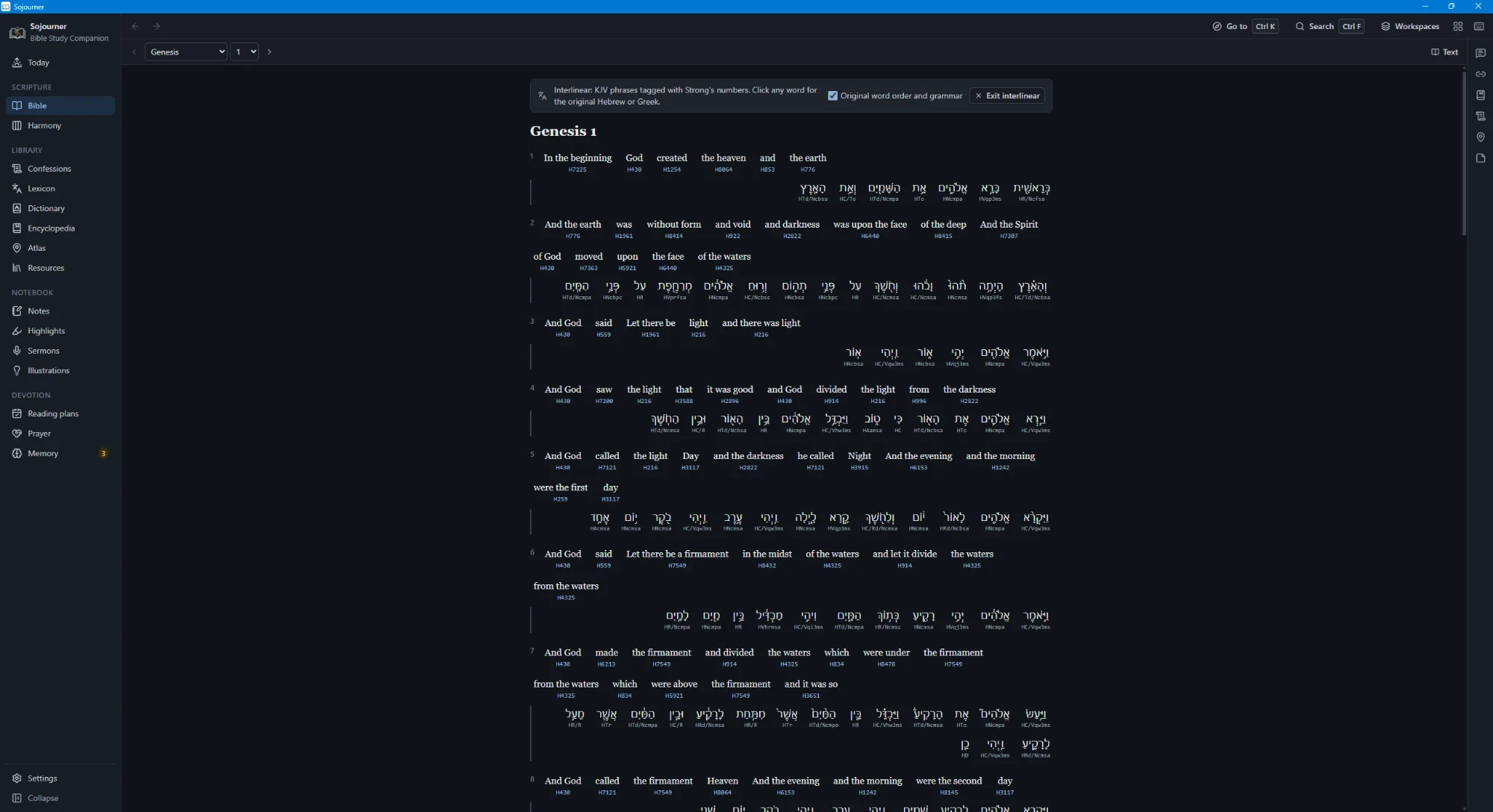
Every phrase of the King James text is tagged with its Strong’s number, through both
testaments. Turn the interlinear on and the original sits under the English, word by word,
Hebrew in the Old Testament and Greek in the New, each one parsed. A switch puts it back into
the original word order when you want to see the sentence as it was built.
Genesis 1 with the interlinear on. The Hebrew sits under the English, pointed and parsed, and every word carries its Strong’s number.
Double-click any word, anywhere in the text, and its entry opens. Strong’s for Hebrew and
Greek, and Thayer’s for a fuller Greek treatment with the usages laid out.
None of this asks you to have studied the languages. That is the point of it. A man with a
concordance and some patience has been able to do real work in the text for two hundred years,
and this only makes the same work quicker.
Where and when
The Ground It Happened On
A page of text cannot easily show you where something happened, or how it lines up with
everything else happening at the time. The atlas and the harmonies are for that.
The atlas
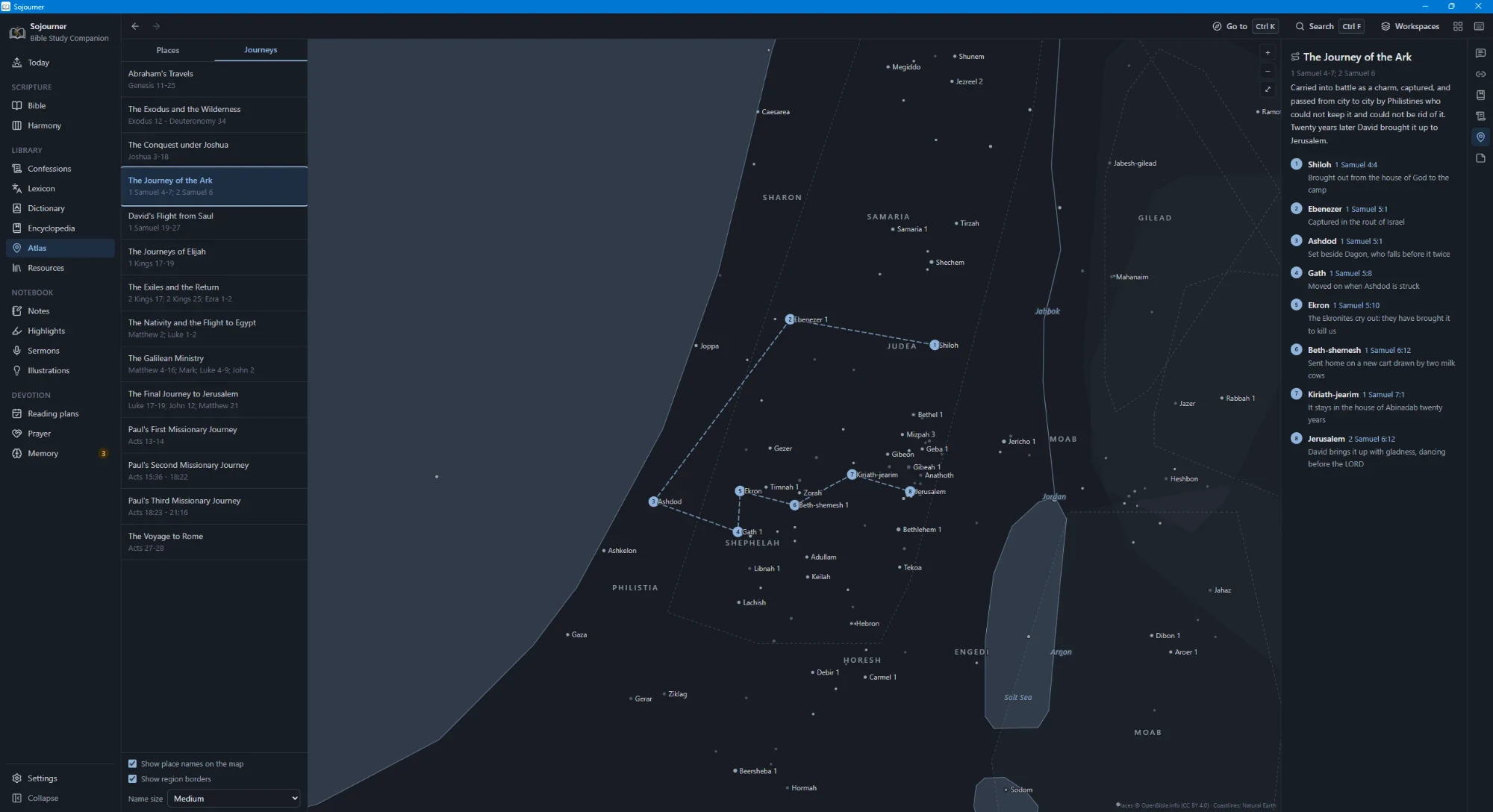
One thousand three hundred and forty two places, each with its coordinates, its modern
identification where there is one, and every verse that names it. Fourteen journeys are traced
across the map, from Abraham leaving Ur to Paul reaching Rome, and each stop carries its own
reference and a line saying what happened there.
The Journey of the Ark, from Shiloh to Jerusalem. Eight stops, each with its verse and what took place. Place data from OpenBible.info, coastlines from Natural Earth.
The harmonies
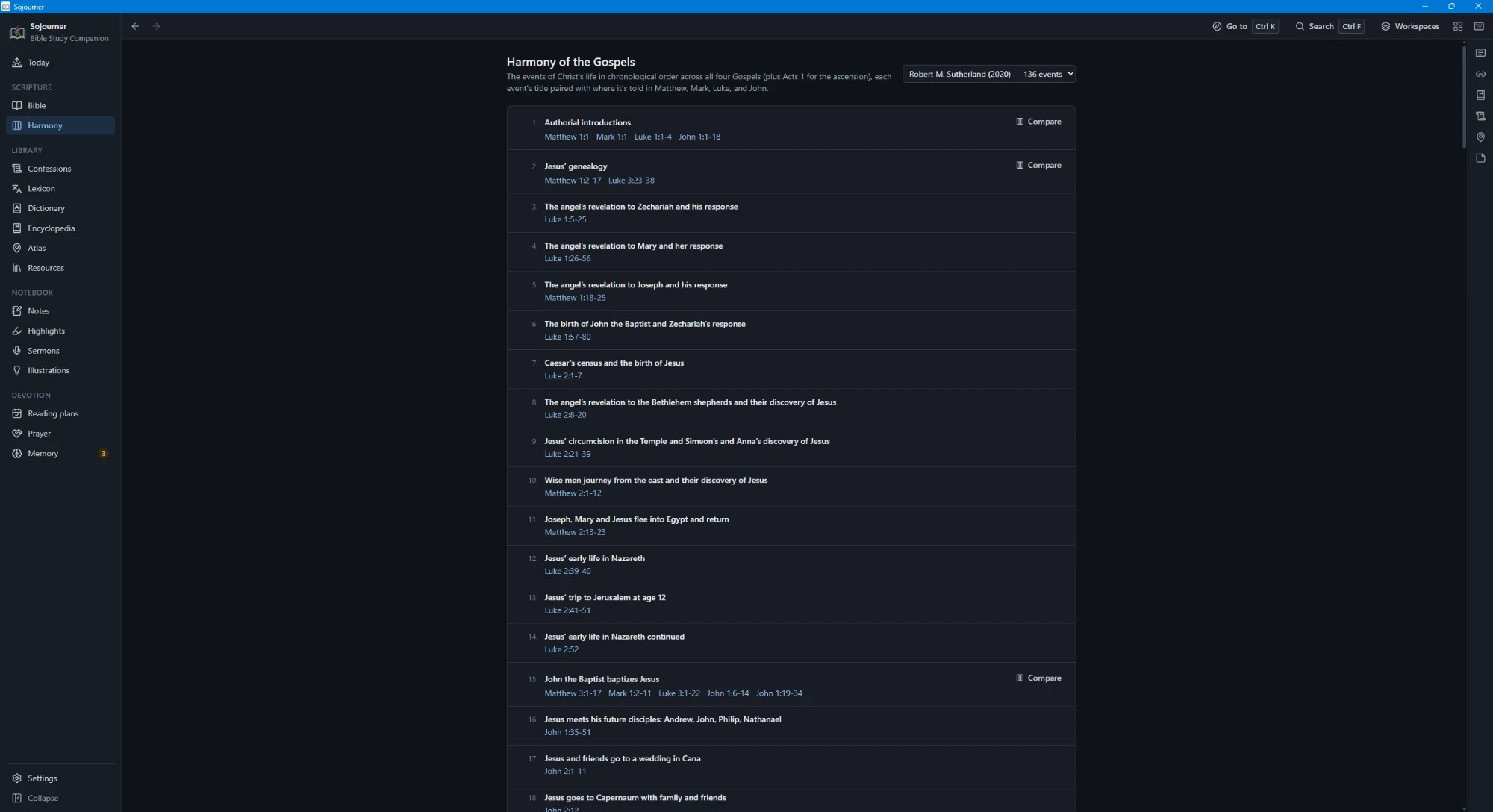
Two harmonies of the Gospels, both laid out in four columns. Robert M. Sutherland’s of
2020 runs to a hundred and thirty six events, and A. T. Robertson’s of 1922 to a hundred
and eighty five. Each event is titled and paired with where it is told in Matthew, Mark, Luke,
and John, with Acts 1 brought in for the ascension. Where an event appears in more than one
Gospel, one button sets the accounts side by side.
Sutherland’s harmony, a hundred and thirty six events in order. Compare opens the parallel accounts side by side.
One Search Box
One box searches Scripture, commentary, your notes, your prayers, your resources, the
confessions, the encyclopedia, your sermons, and your illustrations. You can ask for an exact
phrase, for either of two words, or for one word while excluding another.
Narrow it to one translation or search them all, to one commentary or all of them, to a
testament or a single book. Sort by relevance or in Bible order, match whole words only, and
see true totals with paging out to five hundred results. Searches you run often can be saved.
Reading
Book and chapter navigation, paragraph mode, verse numbers on or off, red letters, five named
highlight colours and an underline, bookmarks, a find bar for the open chapter, a focus mode
that clears everything else away, and printing.
Seven themes, including sepia, true black, and two built for high contrast. A font made for
dyslexic readers. Reduced motion for anyone who needs the screen to hold still.
Notes That Stay Yours
Write on a verse, on a chapter, or on a highlight. Templates are there when a blank page is the
problem, for observation and interpretation and application, for question and answer, for a
sermon outline, for a prayer in response. Type a reference inside any note and that verse is
marked in the text from then on.
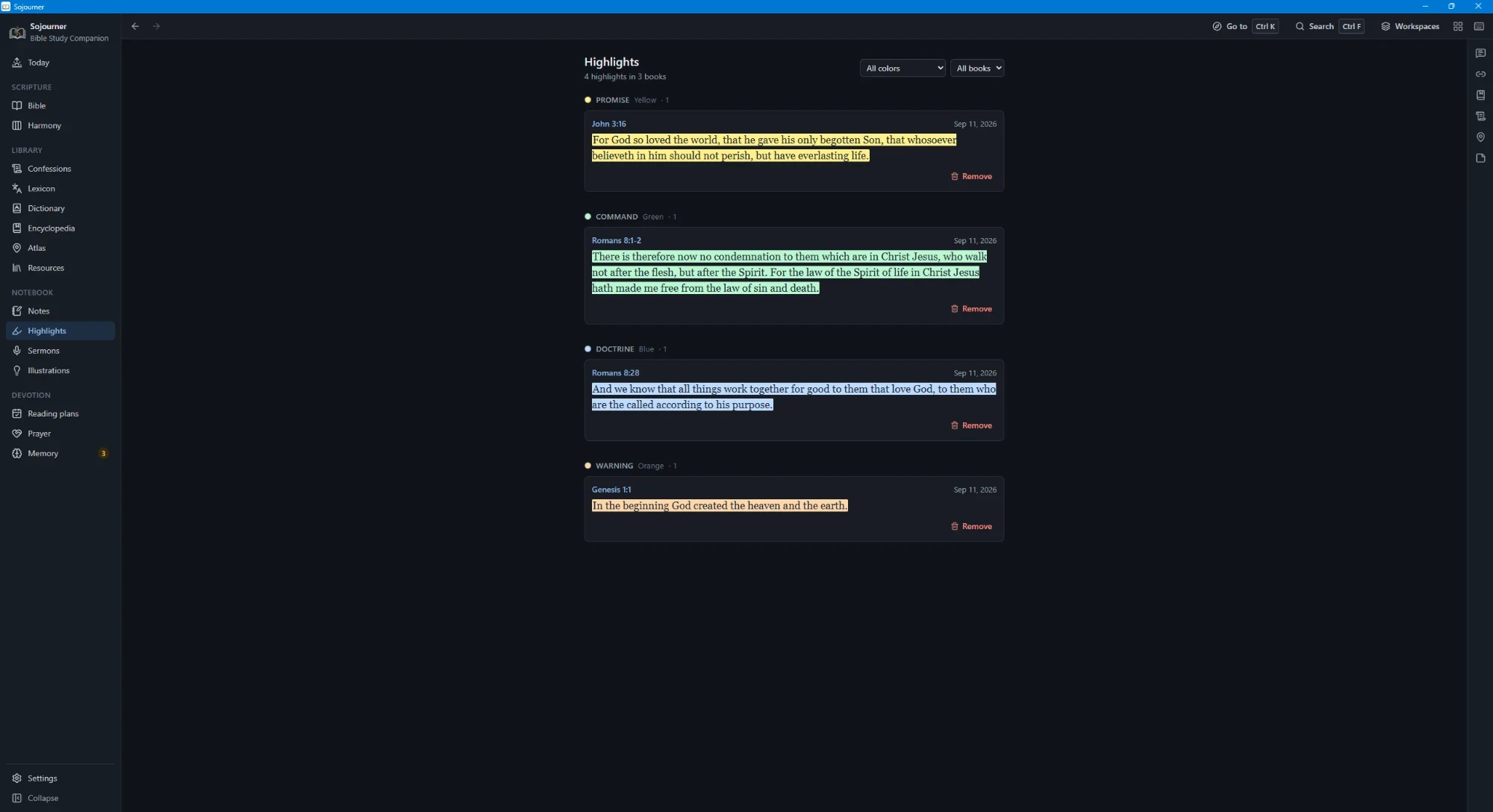
Highlighting works the same way. Five colours and an underline, each one named for what it
marks rather than for its colour. Promise in yellow, command in green, doctrine in blue, warning
in orange. Then you can pull up every promise you have ever marked, across every book, in one
list.
Highlights gathered by what they mark rather than by colour.
The Mine pane gathers everything you have written on the chapter that is open. Anything you
delete waits thirty days in a trash before it is gone.
For preachers
Preparing and Preaching
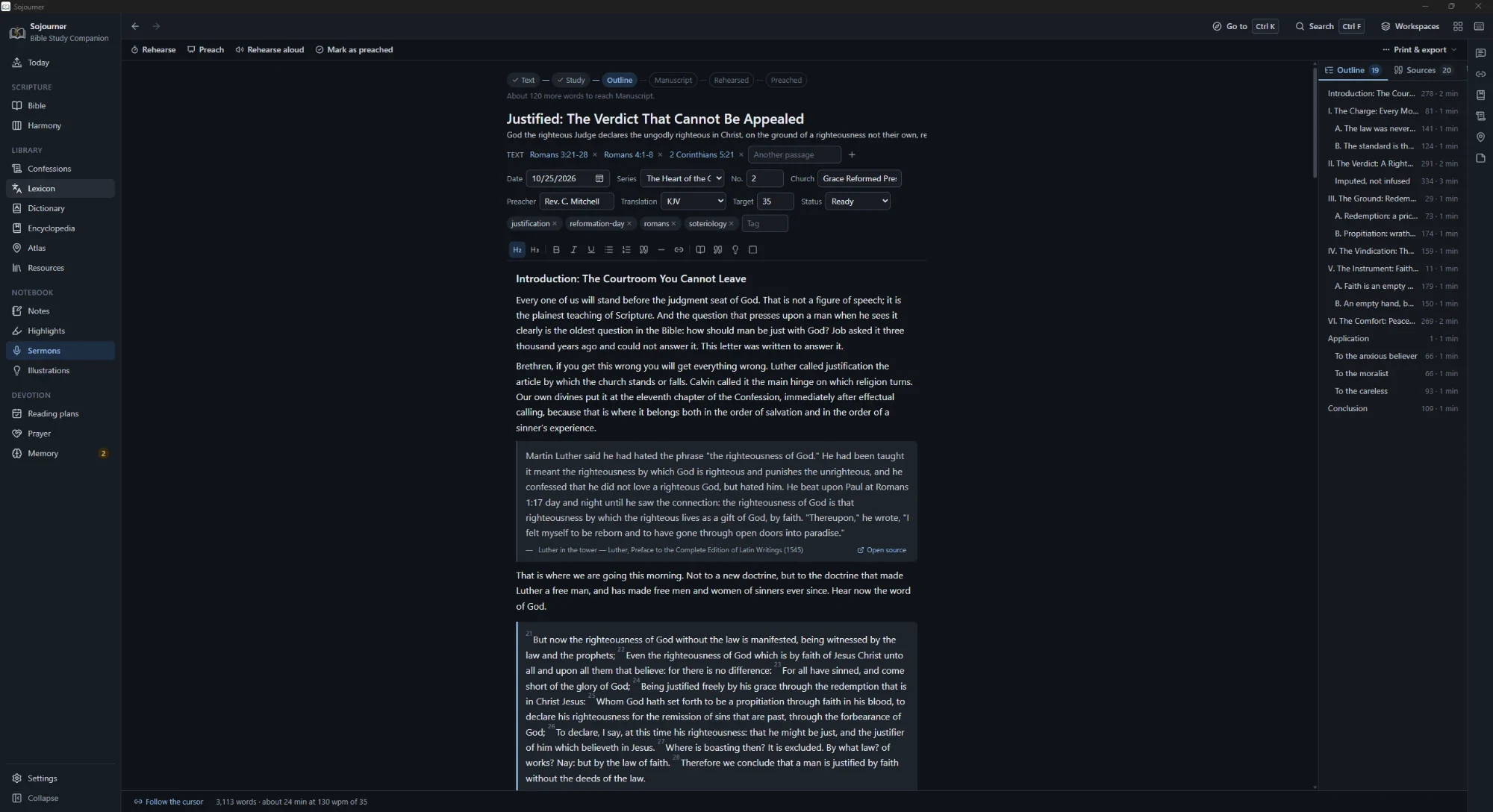
The sermon editor treats your points as the outline, so the structure comes out of the
manuscript instead of being kept beside it. Passage blocks render live in the translation the
sermon is set to.
The manuscript on the left, the outline built from its own points on the right, each with a word count and a reading time. The footer counts the whole thing at your measured speaking rate.
Every verse, commentary entry, confession section, lexicon entry, encyclopedia article, and
book selection carries a small microphone button. Press it and that text drops into the open
sermon with its source line already attached. You never lose track of where a quotation came
from.
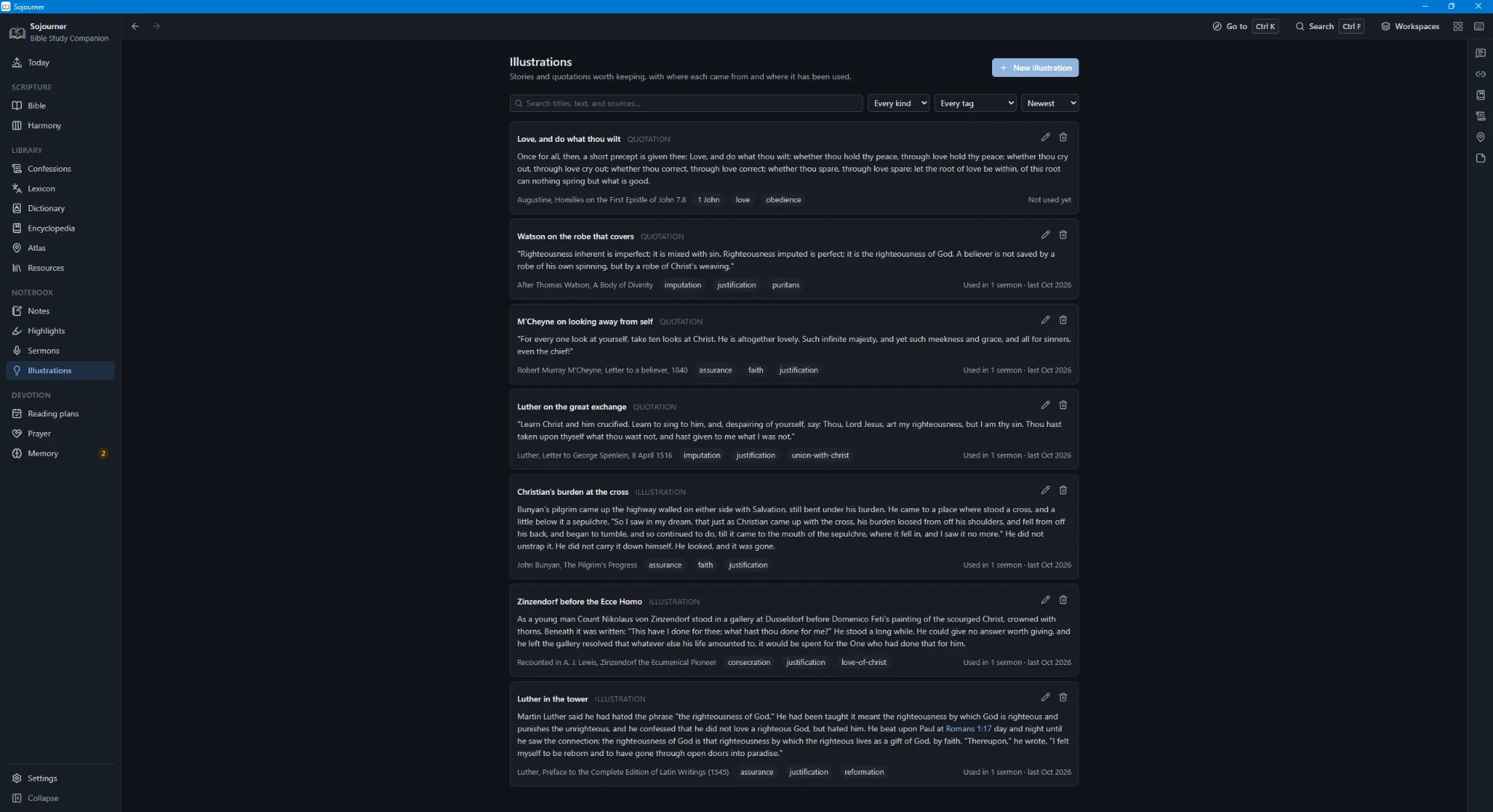
Illustrations go into a file of their own, each with where it came from and where you have
used it. When you reach for one you have already told in this series, it says so before you
put it in.
Each illustration keeps its source and its history. Notice the right hand column, which is what stops you telling the same story twice in one series.
Around that sit a six-stage preparation track, timed rehearsals that measure your speaking
rate, and a preaching mode with pulpit-sized type and a clock. It will generate slides and
export them to PowerPoint, build fill-in handouts, print, and export to Markdown. Sermons group
into a series with a reading plan for the congregation. The illustrations file warns you when
you have already told that story in this series. When it is over there is a place to write down
how it went.
The Ordinary Days
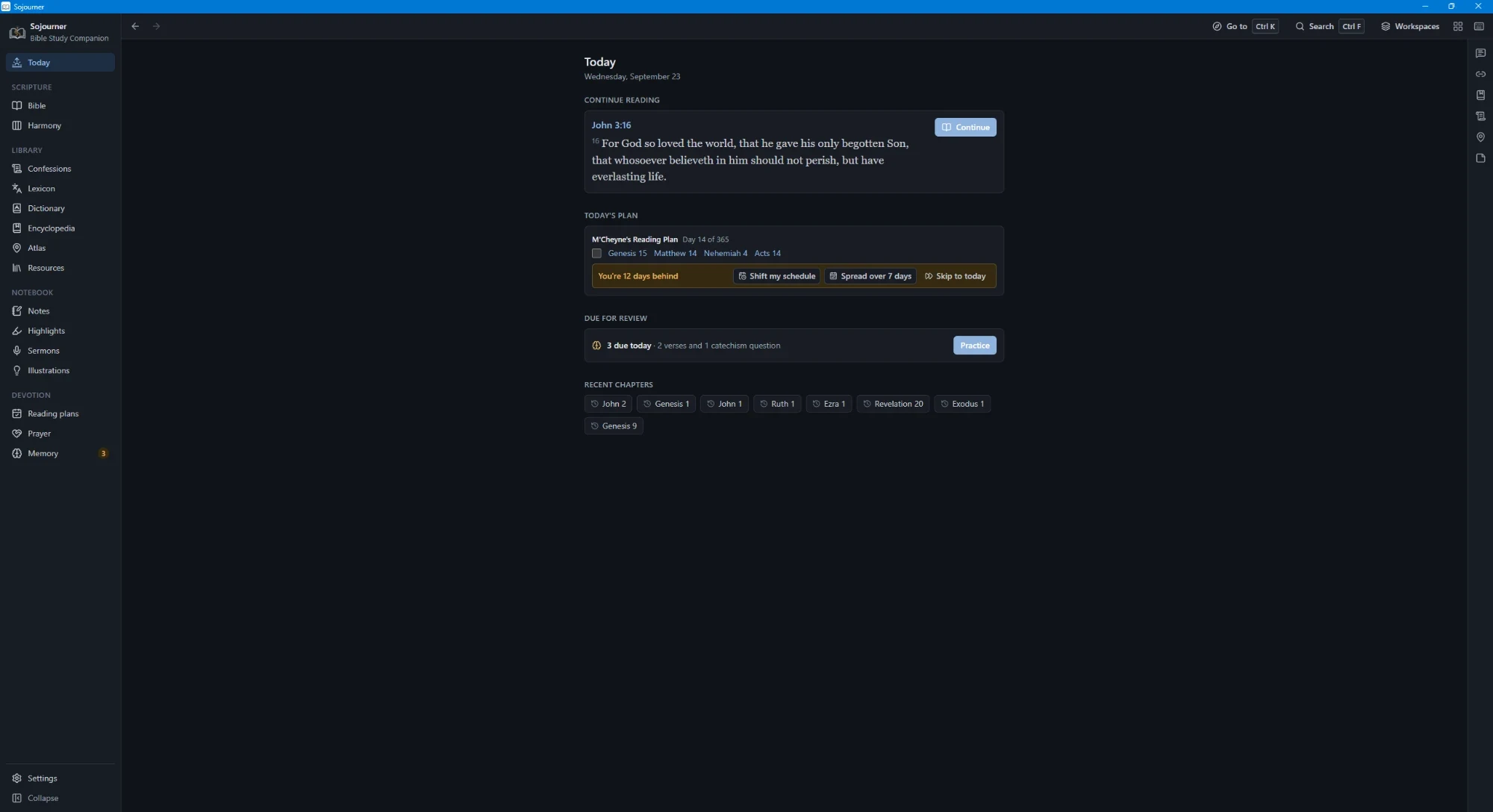
The Today page gathers what is actually in front of you. Where your reading left off,
today’s portion of your plan, this Sunday’s sermon, the memory cards that are due,
and the people you meant to pray for.
Today, with the reading, the plan, and what is due. The line about being twelve days behind is the part that matters. It offers to move the schedule rather than scold you.
Reading plans come with catch-up tools for the weeks you fall behind, and you can build your
own. The prayer journal follows the ACTS pattern, keeps a list of people, nudges you toward the
ones you have not prayed for in a while, and prints.
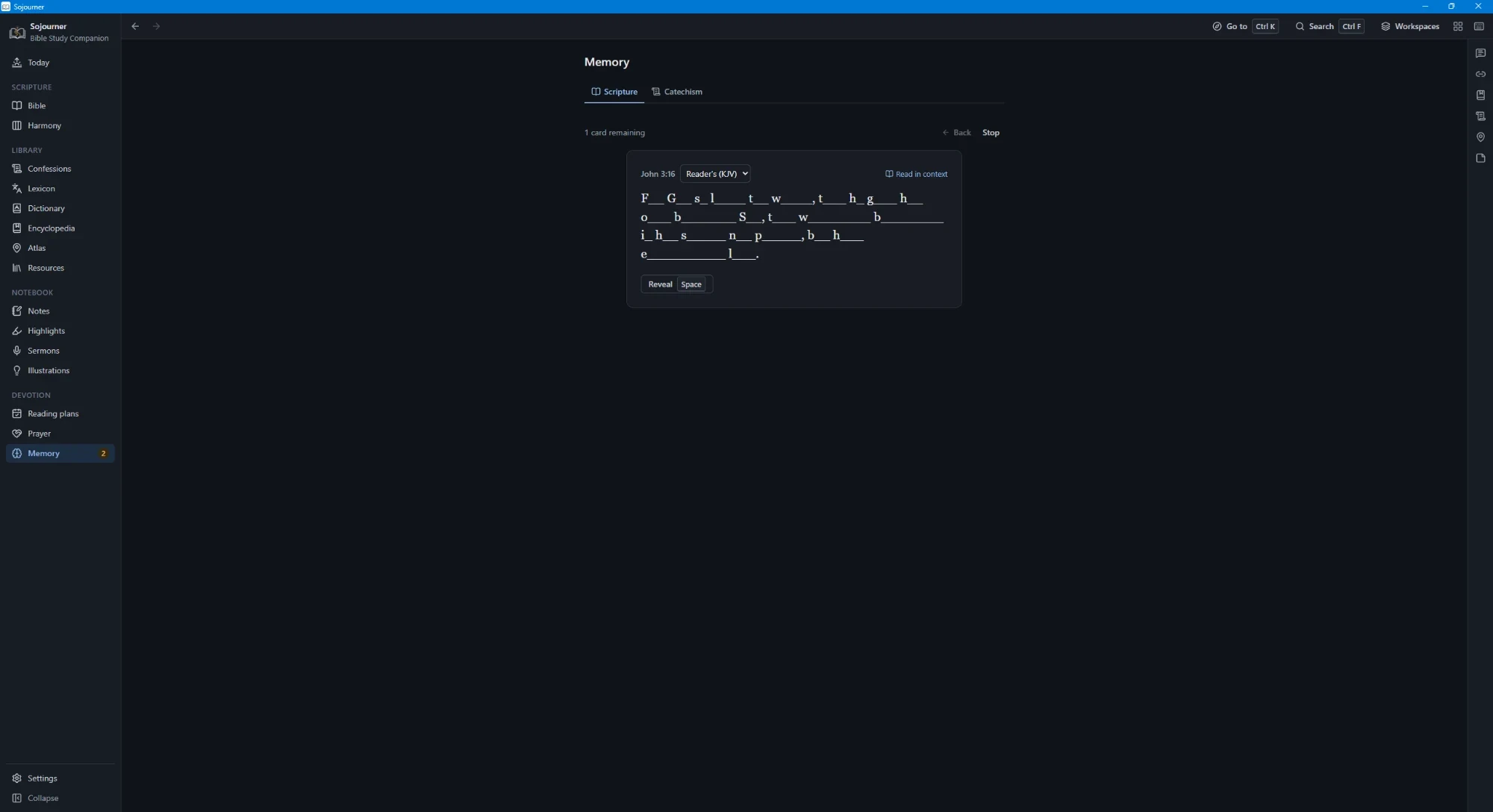
Memory covers Scripture and the catechism together, on a spaced repetition schedule, with three
ways to practise. The one below leaves you the first letter of every word, which is harder than
it looks and works better than reading it over again.
First letters only. Say it through, then reveal.
Your Own Shelf
Bring in your own EPUB, PDF, and MOBI books and your own audio and video. All of it is indexed
for the same search box and can be grouped by author, by date, or by topic. Recordings play at
the speed you choose, and a passage can link straight to the moment in a recording where it is
discussed.
Convictions
Offline, and Yours
Sojourner uses the network for exactly one thing. You press a button on the About page to
check whether a newer version exists. That is all. There is no account, no sync service,
and no telemetry of any kind. Nothing you read, search, write, or pray is reported anywhere,
because there is nowhere for it to go.
Everything you write lives in one file on your machine. Snapshots and automatic backups run in
the background. You can export the whole database and import it again, run an integrity check,
keep a copy in a synced folder if you want one, and look at your own reading statistics on a
heatmap. If the program ever crashes, the log stays on your computer.
This is not a marketing position. It is the only arrangement that makes sense for a book you
are supposed to read for the rest of your life. Companies fold and services shut down. A file
on your own disk does not.
Thy word is a lamp unto my feet, and a light unto my path.
Psalm 119:105 (KJV)
No program does that. But a good tool can keep you from setting the lamp down.
Where the Texts Came From
Everything bundled with Sojourner is either public domain or used under a licence that asks
only for attribution. The Greek data comes from STEPBible under Creative Commons Attribution
4.0. The atlas place data comes from OpenBible.info under the same licence, and the coastlines
from Natural Earth. The OpenDyslexic font is under the SIL Open Font Licence. The translations,
commentaries, confessions, lexicons, encyclopedia, and dictionaries are public domain.
The 2020 harmony of the Gospels is the work of Robert M. Sutherland, copyright 2020, reproduced here with acknowledgment of his authorship as his terms ask. The 1922 harmony is A. T. Robertson’s and is public domain.
None of this is my work. It is the labour of Calvin, Henry, Spurgeon, Barnes, Orr, Easton,
Smith, Strong, Thayer, the Westminster divines, and the many people who typed their books into
machines and gave them away. Sojourner only puts them on one shelf.
Telling Me It Is Broken
If something does not work, or a text is wrong, or you want the program to do a thing it does
not do, write to sojourner at gentleking.org. Bug reports are genuinely welcome
and corrections to the texts most of all.
Sojourner is published by gentleking.org and given away free. It always will be.